Unknown PayPal Charge on Debit Card [Decoded]


Seeing an unknown PayPal charge on debit card can feel confusing if you don’t remember signing up for anything. This post explains what the charge usually is, why it shows on your bank statement, how to check it, and the steps to take next.
What Is the Unknown PayPal Charge?
PayPal is a major US payment service that lets people pay online, send money, and process purchases for thousands of merchants.
When a transaction runs through PayPal, your bank statement often shows a descriptor that starts with “PAYPAL ”, “PP”, “PAYPAL”, or something similar followed by a shortened merchant name.
The amount can vary widely. It might be a few dollars for a small purchase or verification, or higher for a subscription or full order.
Banks limit the text they display, so the full merchant name may not appear clearly. The charge can show as pending at first and then post as completed.
PayPal itself is a legitimate, publicly traded company. Many of these charges come from real purchases or services you or someone with access to your account authorized.
Why the Charge Appears on Your Debit Card
Several common reasons explain an unknown PayPal charge on debit card:
- You (or a household member) paid for something online and selected PayPal at checkout.
- A subscription or automatic payment renewed through a billing agreement saved in your PayPal account.
- You added or confirmed a debit card and PayPal placed a temporary verification hold (often $1 or around $1.95).
- A guest checkout used PayPal as the processor without logging into a full account.
- A refund, adjustment, or family member’s purchase routed through a linked card.
These charges typically post because your debit card is linked as a funding source. Banks show limited details, which can make the entry look unfamiliar at first glance.
How to Verify the Charge
Follow these steps to identify the source:
- Log into your PayPal account on the website or app and open the Activity page. Look for a matching date and amount.
- Check Automatic Payments or Subscriptions under Settings > Payments. Note any active billing agreements.
- Search your email for receipts around the charge date. Look for merchant confirmation messages that mention PayPal.
- Compare the bank descriptor carefully. The text after “PAYPAL ” or “PP” often names the real merchant (for example, a streaming service or online store).
- If nothing matches and you used guest checkout, the transaction may not appear in a PayPal account until you create one from the original confirmation email.
If the charge still does not make sense after these checks, treat it as unrecognized and move to the next steps.
Is the Charge Legitimate?
In most cases, yes. PayPal processes payments for a huge range of legitimate merchants and services. An unknown entry often turns out to be a forgotten subscription, a family purchase, or a temporary card-verification hold that later drops off.
That said, unauthorized transactions can occur. PayPal has strong brand recognition, yet consumer reviews on platforms like Trustpilot and BBB show frequent complaints about support and dispute handling. Always verify rather than assume.
Small random charges can sometimes be tests of stolen card details. If the amount, date, or merchant feel completely off after you check your activity, act quickly.
How to Cancel PayPal
Canceling stops future automatic charges through PayPal, but it does not always end the underlying service. Contact the merchant directly for a full cancellation when possible.
On the PayPal website:
- Go to Settings.
- Click Payments.
- Select Automatic payments (or Subscriptions and saved businesses).
- Choose the merchant.
- Cancel the automatic payment.
In the PayPal app:
- Tap Menu.
- Tap Subscriptions or Linked Businesses.
- Select the merchant.
- Tap Account, then Unlink, and confirm.
After unlinking, also reach out to the merchant so they stop billing under any other method. For one-time charges that already posted, use the Resolution Center to report a problem if needed.
What to Do If You Do Not Recognize the Charge
- Contact your bank or card issuer right away using the number on the back of your debit card. Report the transaction and ask about Reg E rights for unauthorized electronic transfers.
- Open a dispute or claim in PayPal’s Resolution Center if the charge appears in your activity.
- Consider freezing or replacing the debit card if you suspect fraud. Change your PayPal password and enable two-factor authentication.
- Monitor your accounts for further activity. Document dates, amounts, and any emails related to the charge.
Banks generally give you a limited window to report unauthorized debit card transactions, so act soon.
Tips to Avoid Unexpected Charges
- Review PayPal Automatic Payments regularly and cancel anything you no longer use.
- Unlink debit cards you do not actively need and prefer credit cards for online purchases when possible.
- Turn on transaction alerts from both your bank and PayPal.
- Avoid sharing login details and use strong, unique passwords plus two-factor authentication.
- Check bank statements weekly so small or pending charges do not go unnoticed.
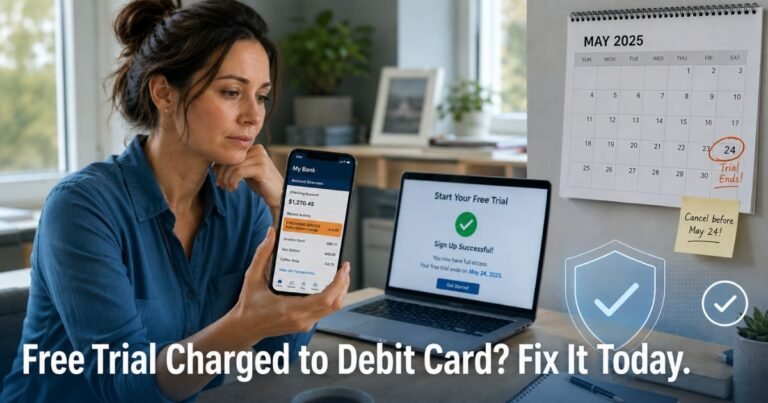
- Be cautious with free trials that convert to paid plans billed through PayPal.
FAQs About Unknown PayPal Charge on Debit Card
Why does a PayPal charge show on my debit card when I never used PayPal?
The merchant likely used PayPal as its payment processor. Guest checkouts and saved billing agreements can route the charge to a linked debit card without a full login appearing in your account.
Can a $1 or small PayPal charge be a scam?
Small temporary charges of up to $1 (or about $1.95 in some verification cases) are often legitimate card checks when you add a card. They typically reverse. Random small charges outside of verification activity deserve a closer look and a call to your bank.
How long does a pending PayPal charge stay on my statement?
Pending authorizations can last from a few minutes to several days, sometimes up to 30 days depending on the bank and the type of hold. Most verification holds drop off once PayPal confirms the card.
What if the charge is from a family member or shared account?
Check who has access to the PayPal login or the linked debit card. You can still cancel automatic payments and ask your bank to review the transaction. Update passwords and review authorized users if needed.
Conclusion
An unknown PayPal charge on debit card is usually a legitimate purchase, subscription, or temporary verification processed through the service. Checking your PayPal activity and automatic payments typically reveals the source quickly.
If the charge does not match anything you recognize, contact your bank promptly and use PayPal’s tools to investigate or cancel future billing. Staying proactive with alerts and regular reviews helps keep unexpected entries from becoming bigger problems.
Disclaimer: This information is for educational purposes only and is not affiliated with PayPal or any bank. Contact your financial institution directly about suspicious transactions or account-specific concerns. Policies and processes can vary.