Simple Premium Charge on Debit Card [Decoded]

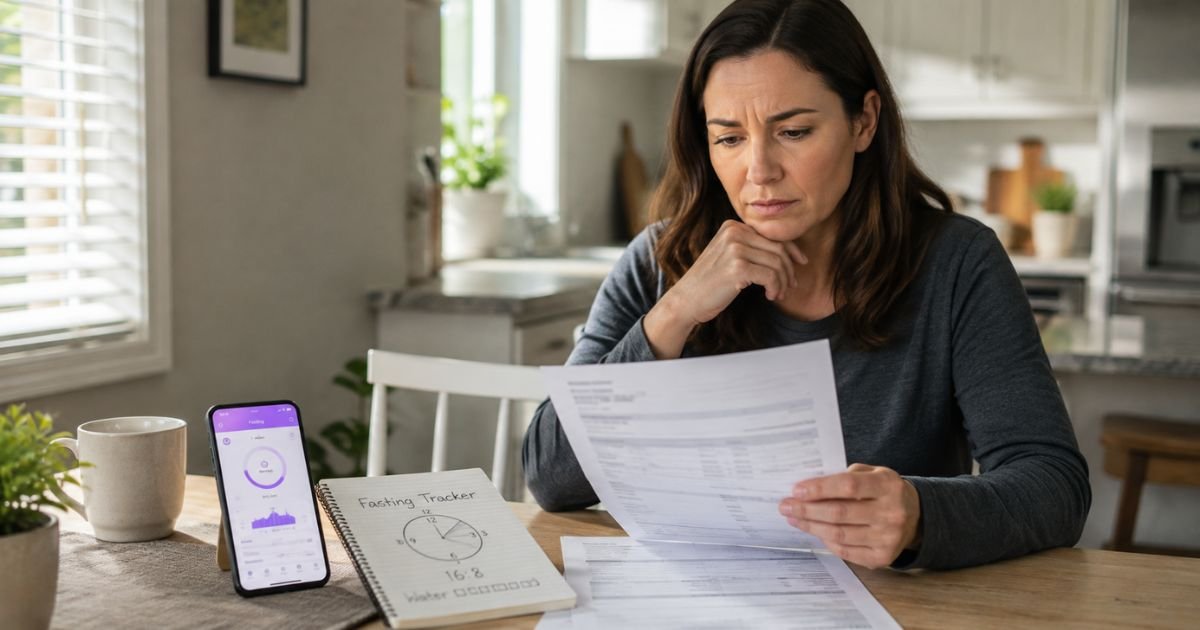
Seeing a Simple Premium charge on debit card or bank statement can feel confusing if you do not remember signing up for anything.
You are not alone. Many people notice this charge after trying a health or fasting app and later wonder where it came from.
This article explains what the charge is, why it appears, how to check if it is legitimate, and the steps to cancel or dispute it if needed.
What Is the Simple Premium Charge?
A Simple Premium charge on your debit card is almost always a subscription payment for the Simple app. Simple (operated by Simple.Life Apps Inc) is a weight-loss and intermittent fasting app that offers health coaching, meal guidance, and AI features.
The free version of the app has basic tracking tools. Simple Premium unlocks the paid features, such as personalized coaching, advanced insights, and extra content.
Common billing descriptors include “Simple Premium,” “Simple Premium Dover DE,” “Simple Life DE,” or similar short variations. The company lists an address in Dover, Delaware.
Pricing varies by plan and promotion. Typical amounts reported by users and the company fall in these ranges:
- Monthly plans often around $14.99 to $29.99
- Quarterly or multi-month plans higher (for example near $59.99)
- Annual plans with a lower monthly average
Optional add-ons such as workbooks can appear as separate charges. Exact amounts depend on the plan you selected and any taxes or discounts at the time of purchase.
Payments can come through the Simple website, Apple App Store, or Google Play Store. The charge may appear under the app name or the platform that processed it.
Why the Charge Appears on Your Debit Card
Here are the most common reasons you see a Simple Premium debit card charge:
- You started a free or low-cost trial that auto-renewed into a paid plan.
- You subscribed directly through the app or website and the billing cycle renewed.
- Another person who shares your card or device signed up.
- You purchased an optional workbook or upgrade.
- The charge is pending and will post with a clearer descriptor soon.
Subscriptions renew automatically unless you cancel before the next billing date. Many people forget the trial end date and later see the full charge.
How Simple Premium Works
- You download the Simple app or visit simple.life.
- You choose a free trial or paid plan and enter payment details.
- The trial or first period begins.
- Unless canceled, the subscription renews and charges your card.
- Premium features stay active for the paid period.
Uninstalling the app does not stop billing. You must cancel the subscription itself.
Is the Charge Legitimate?
Yes, Simple Premium is a real product from a real company with a working app available on major app stores. Many users successfully use the coaching features.
However, billing complaints are common. People often report surprise renewals after trials, difficulty locating the cancellation path, or delays with refunds.
The company has an F BBB rating tied to unresolved complaints in some profiles, while Trustpilot scores sit around 4.3 with mixed feedback on support and clarity of terms.
A charge is legitimate if you (or an authorized user) agreed to the subscription. It becomes suspicious if you never downloaded the app, never entered card details, or see repeated charges after a confirmed cancellation.
How to Cancel Simple Premium
Cancel through the same channel you used to subscribe.
If you subscribed through Apple (iPhone/iPad):
- Open Settings and tap your name.
- Tap Subscriptions.
- Find Simple and select Cancel Subscription.
If you subscribed through Google Play (Android):
- Open the Google Play Store app.
- Tap your profile icon, then Payments & subscriptions, then Subscriptions.
- Select Simple and cancel.
If you subscribed on the Simple website:
- Log into your account on simple.life.
- Go to account or billing settings and turn off auto-renewal.
- Or email support@simple.life with your account email and request cancellation.
Cancel at least 24 hours before the next renewal date to avoid another charge. Keep screenshots of the confirmation.
How to Request a Refund
For regular (non-commitment) plans, Simple states you may request a full refund within 30 days of a charge by contacting support.
Commitment plans (longer locked periods) have stricter rules. Refunds are limited and a cancellation fee may apply outside a short window.
Contact support@simple.life or use the in-app chat widget. Include:
- The email used to sign up
- Date and amount of the charge
- Transaction ID or last four digits of the card if possible
If the purchase went through Apple or Google, request the refund through their platforms first (Apple reportaproblem.apple.com or Google Play refund process).
Refunds are not guaranteed and depend on the exact plan and timing.
What to Do If You Do Not Recognize the Charge
- Check your email for any Simple confirmation or receipt matching the amount and date.
- Look in your Apple or Google account for active subscriptions.
- Ask anyone who shares the card or device whether they signed up.
- Contact your bank with the exact descriptor and amount. Ask for full merchant details.
- If the charge is unauthorized, dispute it with your bank promptly. Debit card protections under Regulation E generally apply when reported quickly, though timelines and outcomes vary by bank.
- Consider freezing the card or requesting a new number if you suspect fraud.
Act quickly. Debit charges remove money from your account right away.
How to Contact Simple
- Email: support@simple.life
- In-app: Profile section or chat widget on the website
- Official site: simple.life
- Refund policy page: simple.life/refund
There is no widely published public phone number for general support. Use email or the in-app tools.
FAQs About Simple Premium Charge on Debit Card
Why does the charge say Simple Premium instead of the app name?
Banks display the short billing descriptor the merchant sends. “Simple Premium” is the standard label for the paid subscription tier.
Can the charge keep coming after I delete the app?
Yes. Deleting the app does not cancel the subscription. You must cancel through the App Store, Google Play, or your Simple account.
How long do I have to request a refund?
For regular plans, Simple’s policy allows a request within 30 days of the charge. Commitment plans have shorter or more limited options. Always confirm current terms with support.
What if my bank already posted the charge?
Contact Simple support first for a possible refund. If that fails or the charge is unauthorized, open a dispute with your bank as soon as possible.
Conclusion
A Simple Premium charge on debit card is almost always a subscription renewal from the Simple intermittent fasting and health coaching app. It is a legitimate service for users who want the paid features, but the auto-renewal process and trial conversions catch many people by surprise.
Check your email and subscription lists first. Cancel through the original purchase channel, then request a refund if you qualify. If you still cannot identify the charge or it continues after cancellation, contact your bank right away.
Reviewing statements regularly and setting calendar reminders for trial end dates helps prevent unexpected charges in the future.
Disclaimer: This information is for informational purposes only. ChargeOnDebitCard.com is not affiliated with Simple, Simple.Life Apps Inc, any app store, or any bank. Contact your financial institution directly about suspicious or unrecognized transactions on your account.