What Is POS Debit vs. POS Purchase on a Bank Statement?

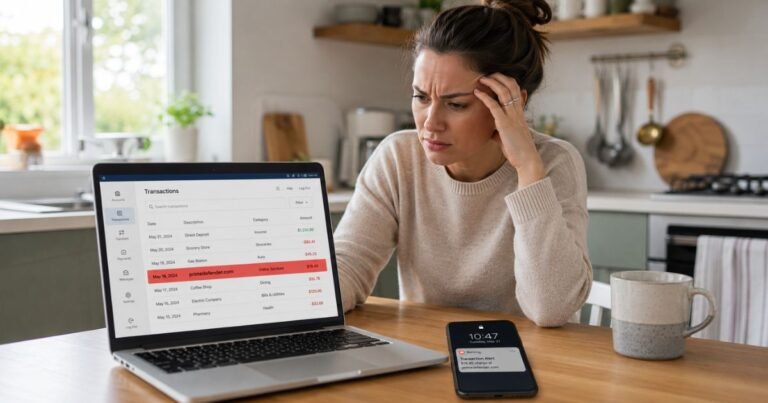
Ever checked your bank statement and thought, “Wait, what is this POS Debit charge?” You’re not alone. Bank statements can feel oddly cryptic, especially when one transaction says “POS Debit” and another says “POS Purchase,” even though both came from using your debit card.
That’s where this guide helps. If you’ve been trying to understand POS Debit vs. POS Purchase, this article will explain what both terms mean, how they show up on your bank statement, and when you should pay closer attention.
The good news? These labels are usually normal. They often describe everyday debit card transactions at stores, restaurants, gas stations, online shops, or payment terminals.
Still, knowing the difference can help you catch duplicate charges, identify fraud, and manage your checking account with more confidence.
What Does POS Mean on a Bank Statement?
POS stands for Point of Sale. It refers to the place or system where a purchase happens.
That “place” can be physical or digital. For example, a POS transaction may happen when you:
- Swipe your debit card at a grocery store
- Tap your card at a coffee shop
- Insert your chip card at a gas station
- Use your debit card for an online order
- Pay through a mobile wallet linked to your debit card
So, when you see POS on a bank statement, it usually means your debit card was used to buy something.
The confusing part is that banks and merchants don’t always label these transactions the same way. One bank may call it a POS Debit, while another may call a similar transaction a POS Purchase, debit card purchase, card transaction, or point of sale withdrawal.
In most cases, the label is not the most important part. What matters is whether you recognize the merchant, amount, date, and location.
POS Debit vs. POS Purchase: What’s the Difference?
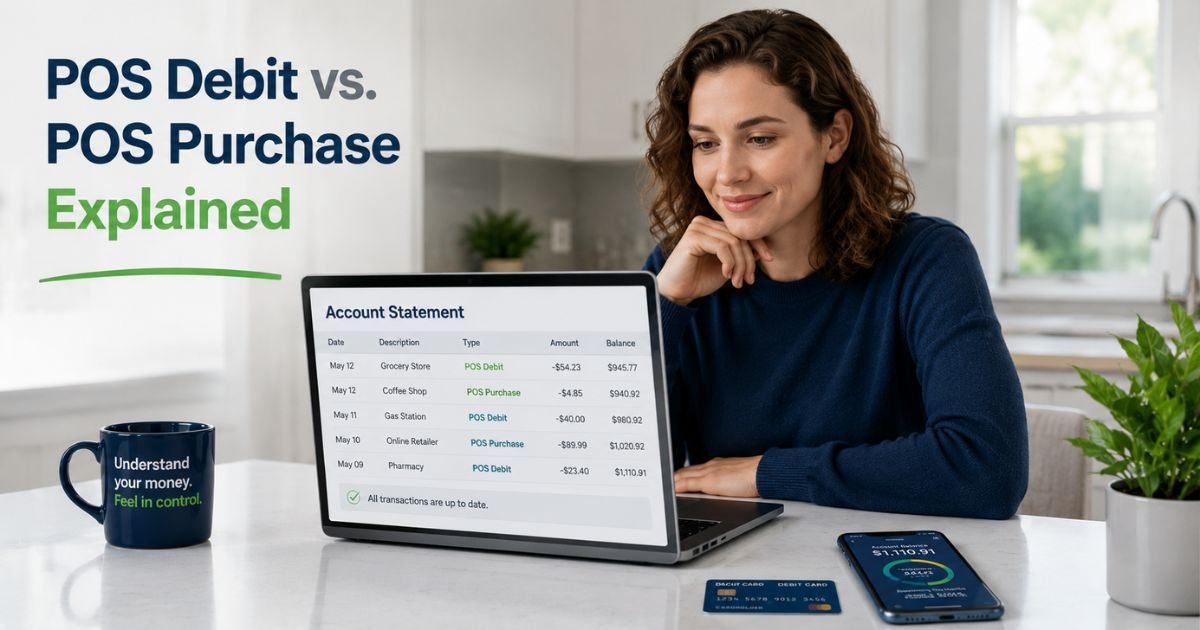
The phrase POS Debit vs. POS Purchase usually refers to two common bank statement labels for debit card activity. They can look different, but they often describe very similar things.
A POS Debit usually means money was taken from your checking account through a debit card transaction at a point-of-sale system. A POS Purchase usually means your debit card was used to make a purchase from a merchant.
In everyday banking, both terms often point to the same basic event: you bought something using your debit card.
Still, there can be small differences depending on your bank, payment network, or how the merchant processed the transaction.
| Feature | POS Debit | POS Purchase |
|---|---|---|
| Basic meaning | Money deducted through a debit card transaction | A purchase made with your debit card |
| Common location | Stores, restaurants, gas stations, ATMs with purchase options | Stores, online shops, apps, subscriptions |
| Account impact | Reduces your checking account balance | Reduces your checking account balance |
| PIN required? | Sometimes, especially for PIN-based debit | Not always, often signature or online debit |
| Is it usually normal? | Yes, if you recognize it | Yes, if you recognize it |
| Should you review it? | Yes, especially if the merchant name looks unfamiliar | Yes, especially for recurring or duplicate charges |
The key takeaway is simple: POS Debit focuses more on the money being debited from your account, while POS Purchase focuses more on the purchase itself.
Why Does My Bank Statement Say POS Debit?
Your bank statement may say POS Debit because your debit card was used at a merchant’s payment terminal or online checkout system.
This label often appears when the transaction is processed as a debit, especially if you entered your PIN. For example, if you buy groceries and choose “debit” at checkout, your bank may label the transaction as a POS Debit.
Common reasons you may see POS Debit include:
- You paid with your debit card in person
- You entered your PIN at checkout
- You used a card reader or chip terminal
- You paid through a mobile wallet linked to your debit card
- A merchant processed your card as a debit transaction
- A temporary authorization later posted as a completed charge
Sometimes, the merchant name may look strange. A restaurant may show its parent company name. A small shop may show its payment processor. A gas station may show a different business name than the sign outside.
That doesn’t always mean fraud, but it does mean you should verify the details.
Why Does My Bank Statement Say POS Purchase?
A POS Purchase usually means your debit card was used to buy goods or services.
This label may appear for both in-person and online transactions. You might see it after buying clothes, paying for food delivery, subscribing to a service, or shopping through an app.
POS Purchase entries may include:
- Merchant name
- Transaction amount
- Date posted
- City or state
- Partial card number
- Payment network information
For example, a bank statement might show something like:
POS PURCHASE 05/12 COFFEE HOUSE NY $8.45
That usually means your debit card was used at Coffee House on May 12 for $8.45.
Simple enough, right? The trouble starts when the name is unclear, the date doesn’t match when you remember shopping, or the amount seems off.
Real-World Example: How POS Labels Can Confuse You
Take a 36-year-old teacher who checks her bank app every Friday. She notices two entries from the same day:
- POS Debit, FreshMart, $64.22
- POS Purchase, FreshMart, $64.22
At first, she worries she was charged twice. But after looking closer, she sees one transaction is marked pending, while the other is marked posted. The pending hold disappears the next day.
In this case, the bank temporarily showed both entries while the transaction was processing. That can happen with debit card purchases, especially at grocery stores, gas stations, hotels, and restaurants.
But if both charges fully post and stay on the account, she should contact her bank or the merchant.
This is why reviewing the transaction status matters just as much as reading the label.
Is POS Debit the Same as an ATM Withdrawal?
Not usually.
A POS Debit is normally tied to a purchase at a merchant. An ATM withdrawal is money taken out as cash from an ATM.
However, some bank statements may use similar wording if you get cash back during a debit card purchase. For example, if you buy $20 worth of groceries and request $40 cash back, your statement may show a larger POS Debit for $60.
That can be confusing if you only remember the grocery total.
Here’s how to tell the difference:
- Check the merchant name: If it shows a store name, it was likely a purchase or cash-back transaction.
- Look for ATM wording: ATM withdrawals usually include terms like “ATM,” “cash withdrawal,” or the ATM operator name.
- Compare the amount: If the amount is higher than your purchase, you may have requested cash back.
- Review your receipt: Receipts often show the purchase amount and cash-back amount separately.
Pro Tip: Save receipts for debit card purchases that include cash back, tips, deposits, or temporary holds. These are the transactions most likely to look confusing later.
POS Debit Pending vs. Posted: Why the Amount May Change
A pending POS transaction is a temporary hold. A posted POS transaction is the final charge that has officially cleared your account.
This matters because pending amounts can change.
For example, restaurants may first authorize your card for the meal amount before the tip is added. Gas stations may place a temporary hold that’s higher than your actual fuel purchase. Hotels and car rental companies may hold extra money for incidentals or deposits.
Common pending transaction situations include:
- Gas station pre-authorization holds
- Restaurant tips added later
- Hotel deposits
- Rental car holds
- Online orders that ship in multiple parts
- Grocery delivery substitutions or adjustments
A pending POS Debit may disappear, change amount, or convert into a posted POS Purchase. That’s normal in many cases.
But if a transaction stays pending for too long or posts incorrectly, it’s worth contacting your bank.
When Should You Worry About a POS Debit or POS Purchase?
Most POS transactions are harmless. Still, you should investigate when something feels off.
Pay attention if you notice:
- A merchant you don’t recognize
- A charge from a city you haven’t visited
- Multiple charges for the same amount
- A transaction posted at an odd time
- A small “test” charge you didn’t make
- A subscription or recurring payment you forgot about
- A larger amount than your receipt shows
- A charge after you canceled a service
Small unknown charges can be especially important. Fraudsters sometimes test a card with a low amount before making bigger purchases.
Common Mistake: Don’t ignore a small unfamiliar POS Purchase just because it’s only a few dollars. If you didn’t authorize it, report it quickly so your bank can review the activity.
What to Do If You Don’t Recognize a POS Transaction
If you see a POS Debit or POS Purchase you don’t recognize, don’t panic. Work through it step by step.
1. Check the Date and Amount
Transaction dates can be tricky. The purchase date and posting date may be different.
Ask yourself:
- Did I shop around that date?
- Did I order something online recently?
- Did I eat at a restaurant or buy gas?
- Did a family member use the card?
- Is this a subscription renewal?
Sometimes the answer is obvious once you match the amount to your receipt or email confirmation.
2. Search the Merchant Name
Merchant names on statements can be shortened, abbreviated, or listed under a parent company.
Try searching the exact name shown on your bank statement. You may discover it belongs to a payment processor, franchise owner, delivery platform, or online store.
3. Review Your Email and App Receipts
Search your inbox for the amount, merchant name, or date. Also check apps you use often, such as food delivery, rideshare, streaming, shopping, and subscription services.
This is especially helpful for digital purchases, since the statement name may not match the brand name you remember.
4. Ask Other Authorized Users
If someone else has access to your debit card or account, ask if they made the purchase.
This may include:
- Spouse or partner
- Teen with a linked card
- Parent or caregiver
- Employee with a business debit card
- Anyone with saved card access
5. Contact the Merchant
If the merchant looks familiar but the amount seems wrong, contact the business first. They may be able to explain tips, deposits, partial shipments, or duplicate authorizations.
6. Contact Your Bank
If you still don’t recognize the transaction, contact your bank right away. Use the phone number on the back of your card or inside your official banking app.
Your bank may help you:
- Freeze or replace your debit card
- File a dispute
- Investigate unauthorized activity
- Reverse eligible fraudulent charges
- Set up alerts for future transactions
How to Prevent Confusion With POS Transactions
You can’t control how every bank labels transactions, but you can make your own tracking easier.
Try these habits:
- Turn on transaction alerts for every debit card purchase
- Keep receipts for gas, restaurants, hotels, and returns
- Use one card for subscriptions so recurring charges are easier to spot
- Check your bank app weekly instead of waiting for the monthly statement
- Label shared expenses in a budgeting app
- Cancel unused subscriptions before renewal dates
- Avoid using debit cards on unfamiliar websites
- Use credit cards for travel holds when possible, if you can pay them off responsibly
These small habits can save you time and stress. They also help you catch unauthorized debit card transactions before they become bigger problems.
POS Debit vs. POS Purchase and Your Available Balance
Both POS Debit and POS Purchase transactions can affect your available balance quickly.
When you use a debit card, your bank may reduce your available balance right away, even if the transaction is still pending. That means the money may not be fully transferred yet, but it’s already set aside.
This can matter if your account balance is low.
For example, if you have $120 in your checking account and a gas station places a $100 temporary hold, your available balance may drop to $20, even if you only bought $35 in gas. Once the final charge posts, the extra hold should be released.
To avoid overdrafts or declined payments, keep a cushion in your checking account when possible. Also, be careful with debit card use at places known for temporary holds.
Are POS Transactions Safe?
POS transactions are generally safe when you use your card with trusted merchants. Banks, card networks, and payment processors use security systems to detect suspicious activity.
Still, debit cards carry a unique risk. Since debit card transactions pull money directly from your checking account, unauthorized charges can affect your cash flow faster than credit card fraud.
To protect yourself:
- Use secure websites with “https”
- Avoid saving your debit card on sites you don’t use often
- Cover the keypad when entering your PIN
- Watch for card skimmers at gas pumps and ATMs
- Lock your card in your banking app if it goes missing
- Report suspicious activity quickly
The faster you act, the easier it usually is to limit damage.
FAQs About POS Debit vs. POS Purchase
Why does my bank statement show POS Debit when I used my debit card online?
Your bank may still label an online debit card transaction as POS Debit because the payment went through a merchant’s point-of-sale processing system. POS doesn’t always mean a physical checkout counter. It can also refer to digital checkout systems used by online stores, apps, and subscription services.
Is a POS Purchase a recurring subscription charge?
A POS Purchase can be a one-time purchase or a recurring subscription, depending on the merchant. If you see the same POS Purchase every month, it may be a streaming service, app subscription, membership, or software renewal. Check your email receipts and account settings to confirm.
Can I dispute a POS Debit if I don’t recognize the merchant?
Yes, you can usually dispute a POS Debit if you don’t recognize it or believe it’s unauthorized. First, check receipts, emails, and merchant names to rule out a legitimate purchase. If it still looks suspicious, contact your bank through its official app, website, or card support number.
Conclusion
Understanding POS Debit vs. POS Purchase makes your bank statement much easier to read. A POS Debit usually highlights that money was deducted from your account, while a POS Purchase focuses on the card purchase itself. In many cases, both labels describe normal debit card activity.
The most important thing is to review the merchant name, amount, date, and transaction status. Pending holds, tips, gas station authorizations, and subscription renewals can all make simple purchases look confusing at first.
Make it a habit to check your account regularly, turn on alerts, and investigate anything unfamiliar. A few minutes of review can help you avoid overdrafts, spot fraud early, and feel more confident about your money.
Disclaimer: This content is for informational and educational purposes only and does not constitute professional, financial, legal, or medical advice. The information provided may not apply to your specific situation. Always consult a qualified professional for personalized guidance.