Formula Care Charge on Debit Card [Decoded]

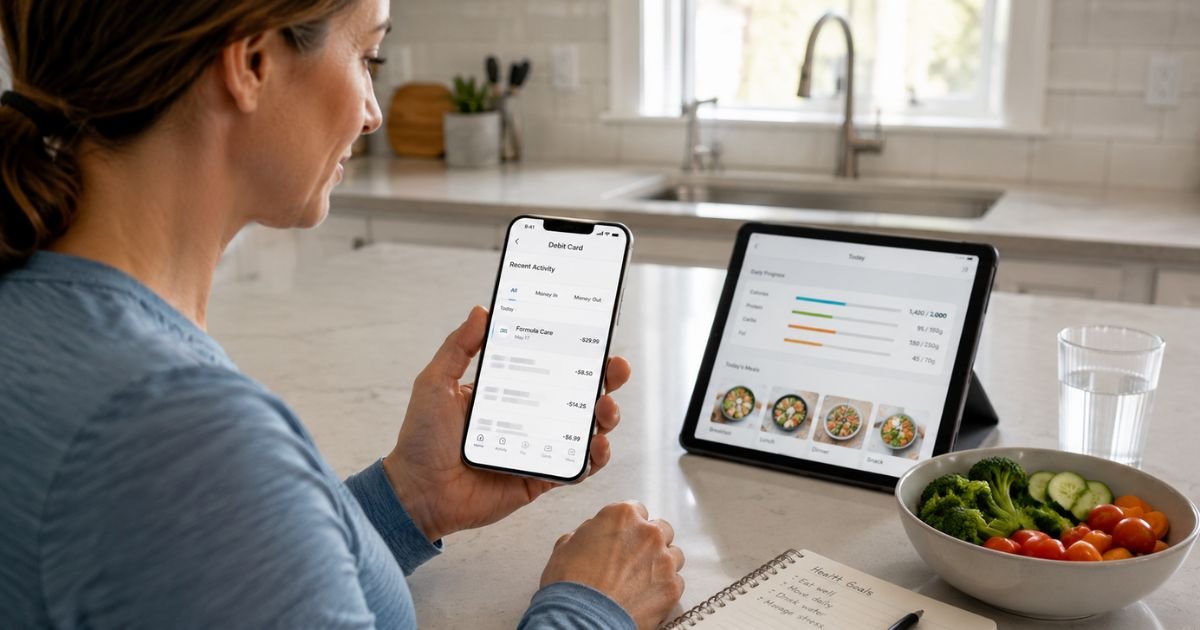
A Formula Care charge on debit card can feel confusing if you do not remember signing up for a nutrition app. This entry usually comes from a paid subscription to the Formula Care service rather than a random bank fee.
This article explains what the charge is, why it shows up on your bank statement, how to confirm it is legitimate, and the clear steps to cancel or dispute it if needed.
What Is the Formula Care Charge?
Formula Care is the billing name used by Fjor Nutrition Inc. for its Formula Care nutrition and weight-management app.
The app offers personalized meal plans, recipes, and tracking tools focused on diets such as Mediterranean, Carnivore, or anti-inflammatory styles. You can log food by photo, barcode, or search and follow custom plans.
On your debit card statement the charge often appears as FORMULA CARE, FORMULA.CARE, FRMLA CARE, FORMULA.CARE 302-437-0578, FJOR NUTRITION, or similar variations. Some people also see it under PayPal as Fjor Nutrition.
The company is based in Delaware. Subscriptions are recurring and typically renew automatically until canceled. One-time digital items such as workbooks or guides may also generate a separate charge during signup.
Why the Charge Appears on Your Debit Card
Common reasons include:
- You started a trial or low-cost plan on the website or app and it converted to a paid subscription.
- An extra digital product (such as a workbook) was added during checkout and charged separately.
- A family member used your card for the app.
- You signed up through an ad or website and later forgot the recurring billing.
The service bills in advance for each billing period. Auto-renewal is disclosed before purchase, but many users report the process felt unclear at the time.
Is the Formula Care Charge Legitimate?
Yes, in most cases. Formula Care is a real app operated by Fjor Nutrition Inc., a registered company that maintains an active website, mobile apps on major stores, and a support email.
Consumer reviews on Trustpilot and the BBB show a mix of positive feedback about the meal plans and frequent complaints about unexpected charges, add-on fees, and refund difficulty. These issues usually stem from the signup flow or auto-renewal rather than a completely fake merchant.
If the amount and date match nothing you authorized, treat it as potentially unauthorized and act quickly.
How to Verify the Charge
- Note the exact amount, date, and full billing descriptor from your bank statement or app.
- Search your email (including spam and promotions) for messages from Formula Care, formula.care, or support@formula.care.
- Check your phone for the Formula app and look under Profile or account settings for an active subscription.
- Email support@formula.care with the charge details and ask them to confirm any account linked to your card.
Matching the charge to a confirmation email or in-app subscription usually clears up the confusion.
How to Cancel Formula Care
You can cancel at any time. Official methods are:
- Open the Formula app, go to Profile, then Manage Subscriptions, and cancel there.
- Visit account.formula.care and manage the subscription online.
- Email support@formula.care and clearly request cancellation plus confirmation.
If you subscribed through the Apple App Store or Google Play, cancel inside those account settings. Deleting the app alone does not stop billing.
Cancellation takes effect at the end of the current billing period. You keep access until then.
The company states that fees are generally non-refundable once a period has begun, though limited exceptions exist under certain state laws or their voluntary money-back terms (contact within 30 days and show use of the plan for at least 14 consecutive days in some cases).
One-time digital products are typically non-refundable.
What to Do If You Do Not Recognize the Charge
- Review recent household activity and any email receipts.
- Contact Formula Care at support@formula.care right away. Ask them to identify the account, cancel any active plan, and explain the charge.
- If they cannot match it to an authorized purchase or you believe it is unauthorized, call the number on the back of your debit card. Report the transaction and ask about freezing the card or issuing a replacement.
- Follow your bank’s dispute process and keep records of every contact.
- Change passwords on any email accounts that may have been involved.
Debit card protections under Regulation E have time limits, so report promptly.
How to Dispute the Charge With Your Bank
After contacting the merchant, open a dispute through your bank’s app, website, or phone line. Provide the date, amount, descriptor, and any notes from Formula Care support. Banks review the claim and may issue a temporary credit while investigating. Results depend on the facts and timing.
Tips to Avoid Unexpected Charges
Check your debit card activity weekly. Set a calendar reminder for any trial end date. Read the full checkout screen carefully for add-ons before entering card details. Prefer a credit card for new subscriptions when possible so a dispute does not pull cash from checking.
FAQs About Formula Care Charge on Debit Card
Why does the charge show a phone number like 302-437-0578?
Some statement descriptors include a Delaware-area number linked to the billing system. The main support channel listed by the company is email at support@formula.care.
Can I get a refund for a Formula Care charge?
Refunds are limited. Subscriptions are generally non-refundable after the billing period starts. A voluntary money-back option may apply if you contact them within 30 days and meet their usage requirements. One-time digital items are usually final. State laws (such as California or Connecticut cooling-off rules) may provide extra rights in some cases.
Is this a recurring charge?
Yes. Most Formula Care charges are part of an auto-renewing subscription. You must cancel before the next renewal date to stop future billing.
What if charges continue after I cancel?
Email support@formula.care again with your cancellation confirmation. If another charge posts, dispute it with your bank immediately and request a merchant block if available.
Conclusion
A Formula Care charge on debit card most often means a subscription to the Formula nutrition app operated by Fjor Nutrition Inc. Check your email and app first.
If the charge is yours and you no longer want the service, cancel through the app, the account portal, or by email. If you cannot identify it, contact both the company and your bank right away.
Staying on top of the charge keeps your account clear and stops unwanted renewals.
Disclaimer: This information is for informational purposes only. ChargeOnDebitCard.com is not affiliated with Formula Care, Fjor Nutrition Inc., or any bank. Readers should contact their financial institution about suspicious transactions or account-specific concerns.