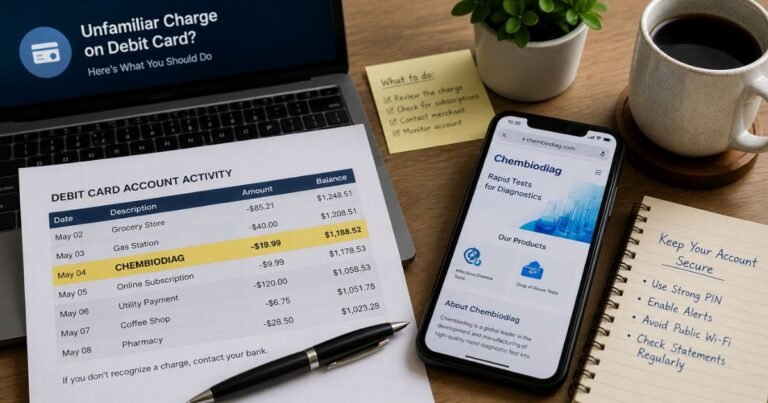
Venmo Charge on Debit Card [Decoded]


Finding an unexpected Venmo charge on debit card can easily cause alarm. You might wonder if your account was hacked or if someone stole your payment details. It is normal to feel confused if you do not remember making a purchase or sending money to a friend.
This guide will help you understand exactly where this charge came from. We will cover common billing descriptors, explain how to verify the transaction, and outline the steps to secure your account.
You will also learn how to dispute the charge if it turns out to be fraudulent.
What Is a Venmo Charge on Your Debit Card?
Venmo is a highly popular peer-to-peer payment platform owned by PayPal. A Venmo charge on debit card means that a transaction was processed through the Venmo app using your linked card as the funding source.
This typically happens when you send money to a friend, pay an approved merchant, or reload your Venmo balance.
Even if you primarily use your Venmo balance to send money, the app will pull funds from your linked debit card if your balance is too low to cover a transaction.
This backup funding process is entirely automated. Because bank processing times vary, the transaction might appear on your bank statement a few days after you actually used the app.
If you do not have a Venmo account at all, a charge indicates that your debit card information was entered into someone else’s account.
This could be a family member who borrowed your card. It could also mean your card details were compromised and used by an unauthorized person.
Common Venmo Billing Descriptors
Venmo uses several different billing names on bank statements depending on the type of transaction. Recognizing these descriptors can help you identify the specific activity.
Here is a breakdown of the most common ways Venmo charges appear on your bank statement.
| Descriptor | What It Usually Means |
| VENMO PAYMENT* | You sent money to another person using your debit card. |
| VENMO CASHOUT* | Usually an instant transfer fee charged when moving money to your bank. |
| VENMO RELOAD* | Funds were added to your Venmo balance or Venmo Debit Card. |
| VENMO [MERCHANT NAME]* | You used Venmo as a checkout method on a retail website or app. |
| VENMO 0 TRANSFER | A zero-dollar authorization check used to verify your linked bank account. |
Why the Charge Appears on Your Debit Card
There are several standard reasons a Venmo charge might hit your checking account. Understanding how the app pulls funds can solve most billing mysteries.
- Peer-to-peer payments: You sent money to a friend or business, and you selected your debit card as the payment method.
- Backup funding: You tried to send $50, but your Venmo balance only had $10. Venmo automatically charged the remaining $40 to your linked debit card.
- Merchant checkouts: Many apps and websites now accept Venmo at checkout. If you buy something online and choose Venmo, the charge will route through your linked card.
- Venmo Debit Card auto-reloads: If you have a physical Venmo Mastercard, you might have an auto-reload feature enabled. This pulls money from your bank account in $10 increments when your card balance drops to zero.
How to Verify the Transaction in the Venmo App
If you have a Venmo account, your first step is to check your transaction history. This is the fastest way to match a mystery bank charge to a specific payment.
Open the Venmo app and tap the “Me” tab in the bottom right corner. Scroll through your recent personal transaction history. Look for any payments that match the exact date and dollar amount on your bank statement.
Tap on any matching transaction to view the payment details. The receipt screen will show you exactly which funding source was used. If it lists your debit card, you have successfully verified where the bank charge originated.
Is This Charge Legitimate or Fraudulent?
In most cases, an unrecognized Venmo charge is entirely legitimate. It is frequently a forgotten purchase, a delayed bank posting, or a transaction made by a spouse who shares your debit card. It might also be a recurring payment you previously authorized, like splitting a monthly streaming bill with a roommate.
However, fraudulent charges do happen. Suspicious scenarios include seeing a Venmo charge when you do not even have the app installed.
Another red flag is a series of small, rapid-fire transactions, which fraudsters use to test stolen card numbers. If the charge does not match anything in your Venmo history, it requires immediate attention.
What to Do If You Do Not Recognize the Charge
If you have checked your app and asked your family, but the charge remains a mystery, you need to act quickly to protect your money. Taking prompt action limits your financial liability.
- Lock your debit card: Open your bank’s mobile app and use the card control feature to temporarily freeze your debit card. This stops any new unauthorized charges from going through.
- Review your Venmo security: If you suspect someone hacked your Venmo profile, change your password immediately. You should also enable two-factor authentication in the app settings.
- Contact your bank: Call the customer service number on the back of your debit card. Report the specific transaction as unauthorized so they can begin an investigation.
- Request a replacement card: Since your debit card details may be compromised, ask your bank to cancel the current card and issue a new one with a different number.
How to Dispute an Unauthorized Transaction
If your debit card information was stolen and used on a stranger’s Venmo account, you must dispute the charge directly with your bank.
Venmo cannot look up a transaction using just your debit card number due to privacy policies. Your bank’s fraud department handles these disputes.
Under federal regulations, you generally have the right to dispute unauthorized electronic transactions. However, the exact timeline and eligibility can vary depending on when you report the fraud. Always notify your bank as soon as you notice the suspicious activity.
If your actual Venmo account was hacked, you should report the issue to Venmo support first. They can freeze your profile, investigate the unauthorized access, and potentially reverse the payment before it clears.
How to Contact Venmo Support
Reaching out to Venmo is helpful if your personal account was compromised. Do not contact Venmo if your card was used on an account that does not belong to you, as they cannot verify your identity in that scenario.
Here is how you can reach their support team.
| Detail | Info |
| Website | help.venmo.com |
| Phone | 1-855-812-4430 |
| In-App Chat | Available in the “Get Help” section of the app |
| Business Hours | 8:00 AM to 8:00 PM CT, seven days a week |
FAQs About Venmo Charge on Debit Card
Why is Venmo charging my bank account directly?
Venmo charges your linked debit card or bank account directly if your in-app Venmo balance is empty. The app uses your bank as a backup funding source to ensure your payment goes through successfully. You can change your preferred payment method before confirming any transaction.
Can a Venmo charge be a pending transaction?
Yes, a Venmo charge can appear as a pending transaction on your bank statement for a few days. Banks typically place a temporary hold on the funds while the merchant fully processes the payment. The transaction will move from pending to posted once your bank and Venmo finalize the transfer.
How long do Venmo refunds take to process?
If a merchant or a friend refunds a payment made with your debit card, the timeline depends on your bank. Venmo processes the refund immediately, but it typically takes one to five business days for the money to reappear in your checking account. Weekends and bank holidays can delay this process.
Can someone else use my card on their Venmo account?
Yes, if another person gains access to your debit card number, expiration date, and CVV code, they can link it to their own Venmo profile. This is why it is crucial to keep your card information secure. If this happens, you must report the fraud to your bank immediately to have the card cancelled.
Conclusion
Dealing with a Venmo charge on a debit card does not have to be a stressful experience. In most instances, the mystery is solved by checking your app history, reviewing your backup funding settings, or asking a family member. Delayed posting times frequently make legitimate charges look unfamiliar at first glance.
If you confirm that the transaction is truly unauthorized, you are not out of luck. Lock your debit card immediately and contact your financial institution to file a dispute. By staying vigilant and monitoring your bank statements regularly, you can keep your money safe from unexpected charges.
Disclaimer: This article is for informational purposes only and does not constitute financial or legal advice. ChargeOnDebitCard.com is not affiliated with Venmo, PayPal, or any banking institution mentioned. If you suspect fraud or have specific questions about your account, please contact your bank or the merchant directly for assistance.