What Is CNP Limit on Debit Card? [And How to Change It]

You tried to make an online purchase or pay for a subscription with your debit card, but the transaction was declined even though you have enough balance. The reason often comes down to something called the CNP limit.
CNP stands for Card Not Present. It refers to transactions where the physical card is not used at a payment terminal, such as shopping on websites, paying bills online, or recurring subscriptions. Banks set a separate daily or per-transaction limit for these CNP purchases to control risk and prevent fraud.
Understanding your CNP limit on debit card helps you avoid declined transactions and manage your online spending more effectively. This guide explains what the CNP limit is, why it exists, and how you can check or change it.
What Does CNP Mean in Debit Cards?
CNP (Card Not Present) transactions happen when you pay without physically presenting your debit card. Common examples include:
- Buying products or services from websites
- Paying for streaming subscriptions or apps
- Making international online purchases
- Paying bills or booking travel through websites or apps
In contrast, Card Present transactions occur when you swipe, insert, or tap your card at a physical store or ATM.
Because CNP transactions carry higher fraud risk (no physical card or PIN verification in many cases), banks apply separate spending limits for them. This is different from your overall account balance or ATM withdrawal limit.
Why Do Banks Set CNP Limits on Debit Cards?
Banks impose CNP limits for several important reasons:
- Fraud prevention: Online transactions are easier targets for fraud since the card is not physically verified.
- Risk management: Separate limits help protect both you and the bank from large unauthorized online charges.
- Regulatory compliance: In many countries (including India), regulators encourage or require banks to offer granular control over different types of transactions.
- Customer protection: Lower default CNP limits reduce potential losses if your card details are compromised.
Most banks allow you to increase the CNP limit according to your needs, either temporarily or permanently, through their app, net banking, or by calling customer care.
How to Check Your Current CNP Limit
You can usually view your debit card limits through these channels:
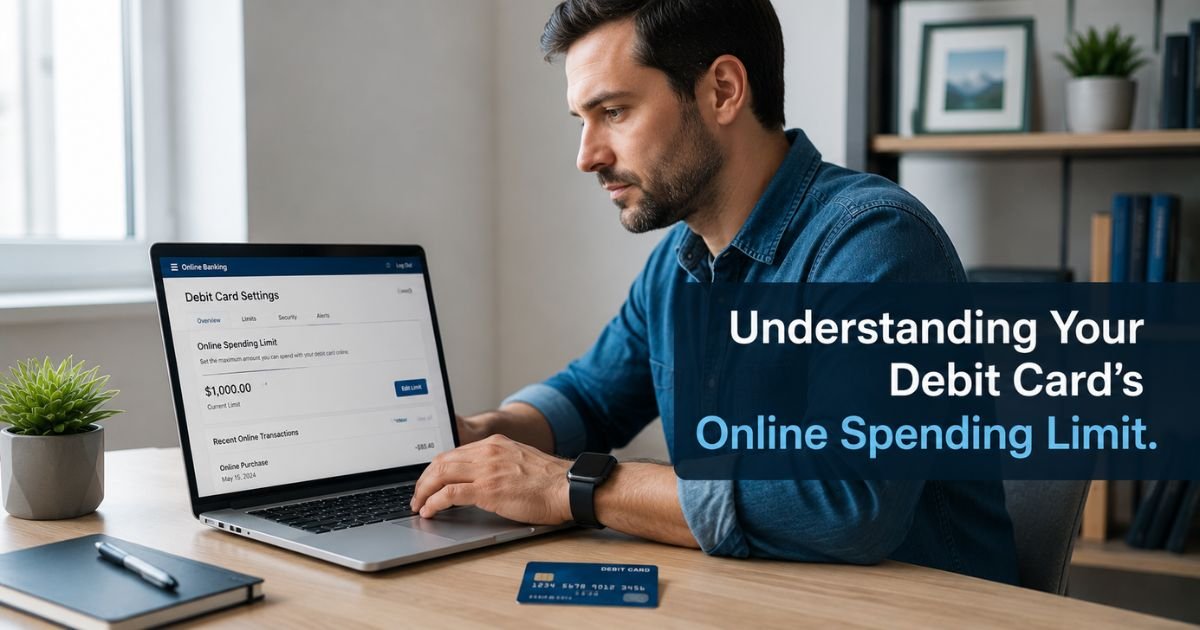
- Mobile Banking App — Log in and go to the debit card section. Look for options like “Card Limits,” “Transaction Limits,” or “e-Commerce Limit.”
- Net Banking — Under the debit card or cards menu, find the limit settings.
- Customer Care — Call your bank’s helpline and ask for your current POS and CNP limits.
- ATM — Some banks allow you to check or modify limits directly at an ATM.
The limit is often shown as a daily amount for online/e-commerce transactions (sometimes combined with POS limits).
How to Increase or Change Your CNP Limit
Most banks make it easy to modify your CNP limit:
- Through Mobile App or Net Banking (fastest method):
Go to your debit card settings → Select “Limits” or “POS/CNP Limit” → Enter the new desired amount → Confirm with OTP or MPIN. - By Calling Customer Care:
Speak with a representative and request an increase in your e-commerce or CNP limit. They may ask for verification and a reason for the change. - At an ATM (available with some banks):
Insert your card → Go to services or limit change option → Select CNP or online limit and set a new value.
Note: There is usually a maximum cap set by the bank (for example, ₹5,000 to ₹1 lakh per day depending on your card variant and bank policy). You cannot exceed this cap without special approval.
Pro Tip: If you only need a higher limit for one specific purchase, ask the bank for a temporary increase. Many banks can raise the limit for 24–48 hours and then automatically revert it to the original setting for better security.
Common Reasons for CNP Transaction Declines
Even with sufficient balance, online transactions can fail due to:
- CNP limit already reached for the day
- International transactions disabled on your card
- 3D Secure (OTP) authentication failed or not set up
- The merchant or website flagged as high-risk by your bank
- Daily or per-transaction CNP limit set too low
If a transaction keeps failing, checking and adjusting your CNP limit is often the quickest fix.
Safety Benefits of CNP Limits
While CNP limits can sometimes feel restrictive, they provide important protection:
- They limit potential loss if your card details are stolen and used for online fraud.
- They give you more control over how much can be spent without your physical card.
- Many banks allow you to turn CNP transactions completely on or off for extra security when traveling or during periods of low online activity.
FAQs About What Is CNP Limit on Debit Card
What is the difference between POS and CNP limit on a debit card?
POS limit applies to physical purchases at stores using your card (swipe, chip, or tap). CNP limit applies to online, website, and app-based purchases where the card is not physically present.
Can I set different limits for domestic and international CNP transactions?
Yes. Most banks allow you to set separate limits or completely disable international transactions while keeping domestic online purchases active.
Is there a maximum CNP limit I can set?
Yes. Every bank has an upper cap based on your card type (Classic, Gold, Platinum, etc.). You can usually increase up to this cap through the app or by requesting customer care.
How long does it take for a new CNP limit to become active?
Changes made through the mobile app or net banking are usually active immediately or within a few minutes. Changes requested over the phone may take a few hours to a day.
Conclusion
The CNP limit on debit card is the maximum amount you can spend on online purchases and subscriptions in a day. It exists primarily to reduce fraud risk on Card Not Present transactions. You can easily check and modify this limit through your bank’s mobile app, net banking, or customer care.
If you frequently shop online or face declined transactions, increasing your CNP limit (within your bank’s allowed cap) is a simple and effective solution. Always review your limits periodically and keep them aligned with your actual spending needs for a smoother online experience.
Disclaimer: This content is for informational and educational purposes only and does not constitute professional, financial, legal, or medical advice. The information provided may not apply to your specific situation. Always consult a qualified professional for personalized guidance.