How to Find All Subscriptions Linked to Debit Card?

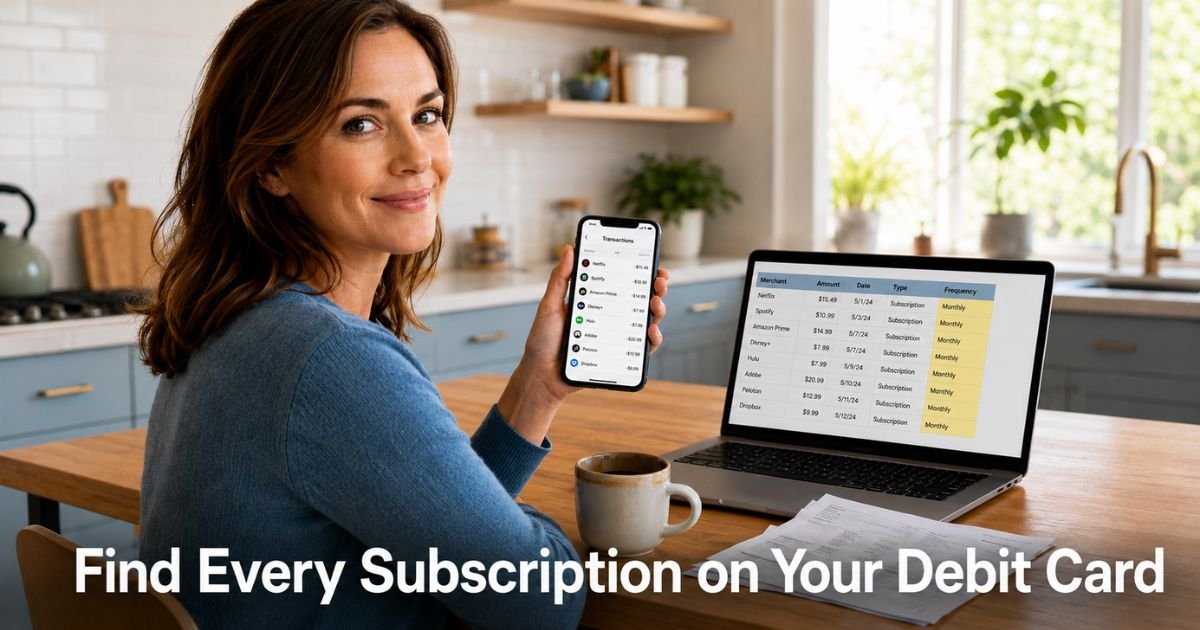
You open your banking app between meetings and notice a $9.99 charge from a company you do not remember. It has shown up for months.
You are not alone. Plenty of people discover the same surprise when they finally slow down and look closely at their debit card activity.
If you have ever wondered how to find all subscriptions linked to debit card, you are in the right place. This guide walks you through practical steps that work for most US bank accounts.
You will learn how to review your own records, use built-in bank tools, and decide when extra help makes sense.
Why Finding Subscriptions Linked to Your Debit Card Matters
Hidden subscriptions act like small leaks in your monthly budget. You sign up for a free trial that turns into a paid plan or try a service once and forget to cancel. Months later the same charge still hits your debit card on schedule.
Catching these charges helps in practical ways. You stop paying for things you never use. You notice odd activity faster and can act on it. You also get a clearer picture of your real spending habits so you can plan better.
Here are common signs that a charge on your debit card is probably a subscription:
- The exact same amount appears around the same date each month
- The merchant name looks vague or uses codes such as PAYPAL or STRIPE plus a short code
- You cannot remember the last time you used the service
- The charge continues even after you stopped interacting with the app or website
Taking ten minutes to look now often reveals money you can redirect to something you actually enjoy.
How to Find All Subscriptions Linked to Your Debit Card by Checking Your Statements
Your detailed transaction history holds the clearest answers. Most people only glance at the running balance. The full list of charges tells you what really happened with your debit card.
Follow these steps in order and you will uncover most recurring payments without any extra tools.
- Log into your online banking site or open your bank’s mobile app. Select the checking account connected to your debit card.
- Set the date range to show at least the past three to six months. Download the transactions as a CSV or PDF if the list feels too long to scroll on your phone.
- Look for any dollar amount that repeats on a regular rhythm. Give yourself a two or three day window because some companies process charges a day early or late.
- Write down the merchant name next to every repeating charge. Cross-check it against services you still use and mark anything that feels unfamiliar.
- Research any unclear merchant names with a quick online search. Many companies bill under slightly different names than the app or website you remember.
This process works because subscriptions almost always leave a consistent footprint in your transaction history. You simply need to slow down and look for the pattern instead of rushing past it.
Pro Tip: Turn on push notifications for every new transaction inside your bank app as soon as you finish this review. You will see new charges the same day they post and can question anything that looks off right away.
How Your Bank App Reveals Recurring Payments Quickly
Many banks now include helpful views inside their apps that make recurring charges easier to spot. You do not always have to read every line of a long statement.
Open the app and check for sections labeled activity, payments, or subscriptions. Some apps add a small label or icon next to charges that have happened more than once. Use the search bar to type possible company names and see every time that merchant took money from your account.
Even simple filters by date or amount can surface patterns you would otherwise miss. Combine the app view with your manual statement check for the fastest results.
Using Subscription Tracker Apps to Catch What You Miss
Sometimes you want help that works in the background. Subscription tracker apps connect to your bank and automatically flag repeating charges across your debit card and other accounts.
Take a project manager in Portland. He knew he had two streaming services but felt his debit card was being hit more often than it should. He tried a popular tracker app during its free trial. The app listed eight active subscriptions tied to his debit card, including two he had signed up for during a busy work project and completely forgotten. He canceled three of them within an hour and now saves roughly $35 every month. The app also reminds him a few days before any free trial ends so he never gets surprised again.
These apps usually offer a free trial period. After that many charge a modest monthly fee. The savings often cover the cost for people who have several subscriptions.
Always review the privacy and security details before you link your bank login.
When to Contact Your Bank for a Full List
If your statements and app still leave gaps, reach out to your bank’s customer service team. They can often pull a more complete record of any recurring authorizations tied to your specific debit card number.
Call or start a secure chat and explain that you want to see all merchants set up for automatic or recurring payments. Ask them to include any “card on file” arrangements that might not show clearly in the regular transaction list. Have your account number and a short list of the charges you already found ready before you call.
Representatives can sometimes share the date an authorization started, which helps you match it to an old sign-up you had forgotten.
Common Mistake: Many people assume every subscription will appear with a clear name on their statement. Some companies bill through payment processors or use slightly different names each month, which makes charges easy to overlook until you speak directly with your bank.
Comparing the Best Ways to Find Subscriptions Linked to Your Debit Card
Different approaches work better depending on how much time you have and how many charges you suspect. Here is a side-by-side look at the main options.
Comparing Methods to Find Subscriptions Linked to Your Debit Card
| Method | Time Needed | Cost | Best For | Accuracy |
|---|---|---|---|---|
| Manual Statement Review | 15–30 minutes | Free | First-time checks and building habits | High |
| Bank Mobile App Tools | 5–15 minutes | Free | Quick scans and setting alerts | Medium-High |
| Third-Party Tracker Apps | 5 minutes setup | Free trial, then paid | People with many subscriptions | Very High |
| Bank Customer Service | 10–20 minutes | Free | Unclear or suspicious charges | High |
Start with the free options and add a tracker app later if you want ongoing monitoring. Most people find that a quick monthly check combined with alerts catches almost everything.
How to Stay Ahead of New Subscriptions Going Forward
Once you have your current list, build a simple habit so the same problem does not sneak up again. Set a phone reminder every three months to repeat the statement review. It takes less time than you think once you know what to look for.
Keep a short note on your phone with every new subscription you sign up for, including the amount and renewal date.
This one-minute habit prevents future surprises. Before you start any free trial, ask yourself whether you will realistically remember to cancel it later.
FAQs About How to Find All Subscriptions Linked to Debit Card
How can I tell if a charge on my debit card is a subscription and not a one-time purchase?
Check whether the same amount appears at regular intervals, usually every 30 days or once a year. Look at the merchant description and compare it with any welcome emails or app notifications you received. If the charge keeps happening even though you stopped using the service, it is almost certainly a recurring subscription.
Do I need to pay for an app to find subscriptions linked to my debit card?
No. You can find most recurring charges by reviewing your bank statements and using the free tools already inside your bank’s mobile app. Paid tracker apps simply make the process faster and more automatic if you have many subscriptions across different accounts.
What should I do if I discover a subscription I never signed up for?
Contact the company first through their website or app and request cancellation plus a refund for recent charges. If they do not respond or refuse, call your bank right away to dispute the charge. Banks usually have time limits, so act quickly and keep records of every conversation.
Conclusion
You now have clear steps to find all subscriptions linked to debit card. Begin with your bank app and the last few months of statements this week. Add a tracker app or a quick call to customer service when you need more detail.
The biggest payoff comes from turning this into a quick habit instead of a one-time project. You will catch unwanted charges sooner, cancel them faster, and feel more confident every time you use your debit card.
Open your banking app today and spend ten minutes looking at recent activity. You will probably spot at least one charge you can cancel right away.
Disclaimer: This content is for informational and educational purposes only and does not constitute professional, financial, legal, or medical advice. The information provided may not apply to your specific situation. Always consult a qualified professional for personalized guidance.