Decoding Add to Wallet Request Charge on Debit Card


Ever spotted a tiny charge on your debit card statement right after linking it to a digital wallet? It can feel odd, right? But don’t panic, this add to wallet request charge on debit card is often just a quick check to make sure the card is yours.
Today, we’ll explore what it means, why it shows up, and how to deal with it. Whether you’re using Apple Pay or Google Wallet, knowing the details can save you stress.
What Does This Charge Really Mean?
The add to wallet request charge on debit card pops up during the setup for digital wallets. It’s a small amount, like $1 or less, that your bank or the wallet service uses to verify your card. Think of it as a handshake between your bank and the app to confirm everything’s legit.
Why Do Banks and Wallets Use This Charge?
Banks and digital wallet providers prioritize security. With rising online fraud, they need solid ways to confirm you’re the real card owner.
The add to wallet request charge on debit card acts as one such tool. It creates a unique code or hold that only you can access through your bank statement.
Why not just use a text code? Some do, but the charge method works well for folks without instant alerts. It adds an extra layer of protection against unauthorized additions.
Plus, it complies with rules from payment networks like Visa or Mastercard.
For more on how digital wallets handle security, check out the Consumer Financial Protection Bureau’s guide on electronic payments.
How the Verification Process Works
Adding a debit card to a digital wallet involves a few steps, and the charge fits right in. First, you open the wallet app and select to add a card. You might scan it or type in the details. Then, the app contacts your bank for approval.
At this point, the add to wallet request charge on debit card might appear. Your bank places a small hold or charge, and you confirm it by checking your statement or app. Once verified, the wallet activates your card for use.
This process varies by wallet, but it’s quick. Let’s look at popular ones.
Adding to Apple Pay
For Apple users, start in the Wallet app on your iPhone. Tap the plus sign, choose debit or credit card, and follow the prompts. Your bank might send a code via text or email, but sometimes a small charge verifies it instead.
If the charge shows, log into your bank account to see the amount or code. Enter it back in the app, and you’re set. Apple says this keeps things secure without sharing your full card info.
Adding to Google Wallet
Android folks use Google Wallet. Open the app, tap add to wallet, and pick your debit card. If your bank needs verification, you might see options like a temporary charge.
This charge appears on your statement with a six-digit code. It could take up to 30 minutes to show. Once you spot it, enter the code in the app. Google notes this is temporary and gets refunded as a debit.
Other wallets like Samsung Pay or PayPal follow similar steps, but always check your bank’s app for direct addition to skip extras.
Is This Charge Permanent?
Good news: The add to wallet request charge on debit card is almost always temporary. It’s not a fee you keep paying. Banks use it just for verification, and they refund it soon after.
In most cases, it vanishes within a few days, like a hold on gas pumps. For Google Wallet, it’s removed as a debit entry. Apple Pay holds might release in 1-8 days, depending on your bank.
If it lingers, contact your bank. They can explain and reverse it if needed. Remember, this isn’t a service fee; digital wallets are free to use, though your carrier might charge for data.
What If You See an Unexpected Charge?
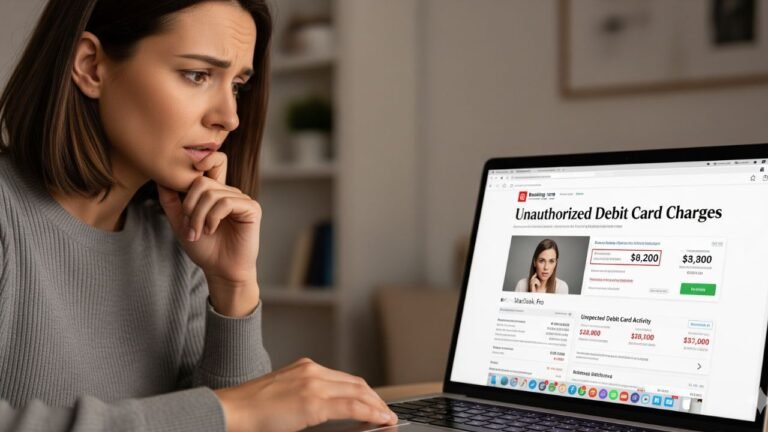
Sometimes, the add to wallet request charge on debit card catches you off guard. Maybe you didn’t add a card recently. Could it be fraud?
First, review your bank statement. If it’s small and matches a verification pattern, it might be legit. But if it’s larger or from an unknown source, act fast.
Contact your bank right away. They can freeze the card and investigate. If someone tried adding your card to their wallet without permission, it’s identity theft. Report it to the Federal Trade Commission for extra protection.
I recall a friend who saw a weird charge after losing his wallet. Turned out, someone attempted to link his card digitally. Quick action stopped bigger issues.
Tips to Avoid Unwanted Charges
Want to dodge surprises with the add to wallet request charge on debit card? Here are some practical steps.
- Enable alerts: Set up text or email notifications for all card activity. This way, you spot verifications instantly.
- Use bank apps: Many banks let you add cards directly from their app, skipping external charges.
- Choose verification wisely: If options appear, pick text or call over statement charge for speed.
- Monitor regularly: Check your accounts weekly. Early detection beats dealing with fraud later.
- Secure your devices: Use strong passcodes and biometrics on your phone to prevent unauthorized wallet access.
Following these keeps your digital payments safe and hassle-free.
Here’s a quick comparison of verification methods:
| Wallet | Common Verification | Charge Amount | Refund Time |
|---|---|---|---|
| Apple Pay | Text, email, or charge | $1 hold | 1-8 days |
| Google Wallet | Statement charge with code | Small temporary | Immediate debit removal |
| PayPal | App confirmation | None usually | N/A |
This table shows how each handles the add to wallet request charge on debit card differently.
Benefits of Using Digital Wallets Despite the Verification
Sure, the add to wallet request charge on debit card might seem like a minor annoyance, but digital wallets offer big perks. They make payments faster and more secure than carrying plastic.
No more fumbling for cards at checkout. Just tap your phone. Plus, wallets tokenize your info, so merchants never see your real card number. This cuts fraud risk.
I’ve switched mostly to my phone for shopping, and it’s freed up pocket space. Even for public transit or online buys, it’s seamless. The quick verification is a small price for that convenience.
FAQs About Add to Wallet Request Charge on Debit Card
Now, let’s address some common questions.
Q. What is an add to wallet request charge on debit card?
It’s a small, temporary amount your bank charges to verify your debit card when adding it to a digital wallet. This confirms ownership and activates the card securely. Usually under $1, it’s refunded soon.
Q. Is the add to wallet request charge refunded?
Yes, it’s not a permanent fee. Banks remove the hold or credit it back within days. If it doesn’t, reach out to your bank for help.
Q. What should I do if I see a fraudulent add to wallet request charge?
Contact your bank immediately to report it. They can cancel the card and refund any losses. Also, file a report with authorities to protect your identity.
Conclusion
The add to wallet request charge on debit card is a standard security step that keeps your money safe in the digital world. By understanding it, you can enjoy wallet perks without worry. Stay vigilant, and happy tapping.
Disclaimer: This article provides general information based on common practices and is not financial advice. Always consult your bank or a professional for personalized guidance. Practices may vary by institution.